
PREMIUMAV BUYER GUIDES
Total Security Antivirus for Windows: Guide | PremiumAV
Your regional starting price: $1 for 1 PC / 1 year
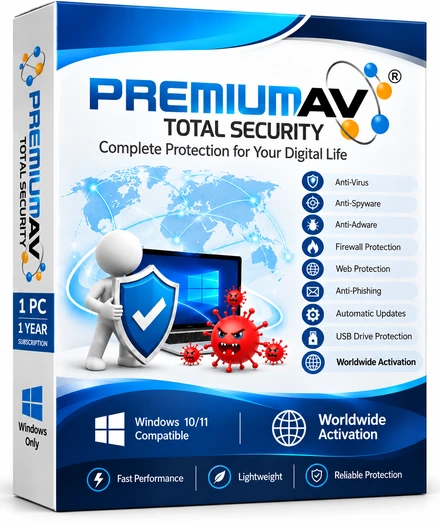
A home computer often holds more of your life than you realise: family photographs, school assignments, invoices, saved documents and the browser you use for everyday payments. Choosing total security antivirus for Windows should help you manage that computer with more confidence, without making the annual bill difficult to understand.
PremiumAV Total Security starts at Rs99 for one PC for one year in India, or USD 1 outside India. It combines on-demand scanning, quarantine and signed definition updates with digital licence delivery. This guide explains the plans, the practical features and the checks worth making before you install any antivirus for a home PC.
What should home antivirus help you do?
Start with ordinary tasks. You want to scan a downloaded file before opening it, check a folder copied from a USB drive and review a detection without losing track of the affected file. You also want to know whether your threat definitions are current and where to ask for support.
Those tasks provide a better shopping checklist than a long collection of feature names. A product title alone does not tell you which functions are available or how they work. Read the current feature catalogue, check supported Windows versions and try the software on the computer you actually use.
PremiumAV's current public descriptions include user-mode file monitoring, on-demand scanning, detection review, quarantine and signed updates. More advanced prevention and recovery capabilities have their own qualification status. Read those labels before assuming that every item in a large security catalogue is already part of the delivered protection.
Antivirus Rs99: understand the plan first
For Indian buyers, the familiar starting point is antivirus Rs99 for one PC and one year. The standard Home examples are Rs99, Rs199 and Rs599. Outside India, the corresponding published examples are USD 1, USD 2 and USD 6. The site selects the regional currency automatically.
| Home plan example | India | Outside India | What to check |
|---|---|---|---|
| 1 PC, 1 paid year | Rs99 | USD 1 | One device and the annual term |
| 1 PC, 2 paid years | Rs199 | USD 2 | The builder's included bonus year |
| 3 PCs, 2 paid years | Rs599 | USD 6 | Device count and included bonus year |
These are different plan examples, not three interchangeable prices for the same purchase. The Home builder shows the selected number of PCs, paid years, any bonus protection period and total. Eligible Home purchases of two or more paid years include the stated extra year; read the summary before checkout.
For a family with one laptop, the one-PC plan may be enough. For a household with several Windows computers, start by counting them and compare the builder totals. Do not divide a multi-PC offer by the number of devices until you have also checked the duration. Price per PC is meaningful only when the protection period is the same.
What two-hour signed updates mean
Threat definitions help an antivirus recognise known malicious patterns. PremiumAV publishes signed definition updates on a two-hour schedule. Signing helps the software verify that an update comes from the expected publisher and has not been altered after signing.
That publication schedule is different from a guarantee that every disconnected computer receives an update immediately. Your PC still needs a working connection and an opportunity to check and apply the update. After a long period offline, confirm definition freshness before handling unfamiliar files.
Updates are one part of sensible computer care. Keep Windows and everyday applications updated too. An antivirus definition update does not install an operating-system security patch, fix a weak password or decide whether an unexpected payment request is genuine.
For a family PC that is only switched on at weekends, make updates part of the first few minutes of use. Connect to the internet, check the software status and let routine maintenance finish. This habit is more useful than assuming that a quiet dashboard always means everything is current.
Scanning that fits everyday Windows use
PremiumAV's catalogue describes quick scans, full computer scans and custom scans of selected files, folders or drives. A quick scan checks common user locations within its stated limits. A full scan works across accessible fixed drives and reports access or engine limits. A custom scan helps when you want to check a particular download or removable drive.
Choose the scan to match the task. After copying documents from a USB drive, scan that media or folder before using unfamiliar files. If you are reviewing the whole computer, allow time for a broader scan and read any reported limitations rather than treating an incomplete job as a clean result.
Scheduled scan settings also have a practical condition: the current catalogue says the local timer runs while the desktop application is open. If you rely on a saved schedule, make sure that condition is met. A stored schedule and a completed scan are different things; check the recorded result.
Scanning is especially useful as a repeatable habit. Keep downloads in a known folder, avoid opening unexpected executable files and investigate warnings before dismissing them. No antivirus can turn an unknown file into a safe choice simply because its name looks familiar.
Quarantine: review a detection before restoring a file
Quarantine provides a controlled place for detected files while you decide what to do next. Instead of immediately putting a suspicious file back into normal use, review the detection and its original location. If the file came from an unexpected message or an unofficial download, treat that source as part of the investigation.
PremiumAV includes detection review and quarantine vault workflows. For a home user, the useful question is simple: can you understand what was detected, where it was found and what action was taken? Keep that information when contacting support.
Do not restore a file solely because an application asks for it. Ask support or the legitimate software publisher to help establish whether it is safe. If a file is important, a known clean backup is preferable to repeatedly overriding a detection without understanding the reason.
Quarantine is also different from a complete backup system. It deals with detected files; it does not preserve every photograph or recover every possible incident. Keep important personal documents in a separate backup and test that you can open a restored copy.
Instant digital licence and included upgrades
PremiumAV delivers a digital licence and account entitlement after a successful purchase. You do not need to wait for a physical box or courier before following the activation instructions. Keep the purchase record and account details so you can find your entitlement and contact support when needed.
Digital delivery still depends on a confirmed payment and correct order information. If a payment is unresolved, check its status before trying again. Use the official account and support routes rather than sharing licence details in public comments or with strangers offering activation help.
The site's Lasting Value promise says every future upgrade is included for licensed users at no extra charge. That helps you assess the value of the software beyond today's interface. It does not change the device count or protection period shown in your order, and it does not make an unfinished feature available today.
Before buying, compare the upgrade policy alongside the term, device allowance and support options. Many vendors describe a headline price prominently while important conditions appear elsewhere. A clear order summary is worth reading even when the starting price is small.
Made in India, with privacy worth understanding
PremiumAV is Made in India and identifies PremiumAV Private Limited in New Delhi as the company behind the product. For an Indian home buyer, a clearly identified seller and an accessible support route can make purchasing and follow-up easier to understand.
Privacy deserves the same attention as price. Read PremiumAV's privacy policy and the site's DPDP notice to understand the stated handling of personal information, available choices and contact routes. Share only the information needed to explain a support problem, and redact personal documents from screenshots when possible.
A privacy policy or DPDP notice should not be treated as a promise that antivirus software automatically satisfies every legal duty. For a home user, the practical steps are straightforward: understand notices, protect your account and ask questions if a data request is unclear. Businesses have additional responsibilities that depend on their own operations.
Avoid sending bank details, identity documents or complete personal folders merely to describe a warning. A detection name, application version and carefully cropped screenshot may be enough for an initial support conversation. Follow the official support team's instructions for any further diagnostic material.
How to choose the best affordable antivirus in India
If you are searching for the best affordable antivirus India, define “best” around your own computer and tasks. Price matters, but so do compatibility, readable alerts, update behaviour and whether you can obtain help. An affordable licence should be easy to understand throughout its term.
| Buying question | Why it matters at home |
|---|---|
| Which Windows versions are supported? | The installer must match your actual PC. |
| How many computers does the plan cover? | A household may need more than one licence. |
| What is the full paid and bonus term? | Similar prices can cover different durations. |
| What works today? | Catalogue entries may have different availability statuses. |
| Where are privacy and refund terms? | You should understand the purchase before payment. |
PremiumAV's pricing page describes Windows 10 and 11, 64-bit. Check the current download instructions and your system details before installation. Do not assume the Windows product also licenses a phone or another operating system. If you are changing security software, follow the documented installation guidance and avoid making several changes at once.
Frequently asked questions
Is PremiumAV Total Security really Rs99?
The starting India plan is Rs99 for one PC for one year. Outside India it is USD 1. Other device counts and durations have different totals; the pricing builder shows the selected plan and checkout confirms the payable amount.
What are the Rs199 and Rs599 plans?
The standard examples are one PC for two paid years at Rs199 and three PCs for two paid years at Rs599. Outside India the examples are USD 2 and USD 6. Read the Home builder's bonus-year summary for the total granted protection period.
Do signed updates arrive every two hours?
PremiumAV publishes signed definition updates on a two-hour schedule. A PC must still be online and able to check and apply updates. After time offline, review the update status rather than assuming the latest publication is already installed.
Does the licence include future upgrades?
The published Lasting Value promise includes future upgrades for licensed users without an additional upgrade charge. Your selected device count and subscription term still apply. Availability labels in the current feature catalogue remain relevant.
Is antivirus enough to keep every file safe?
No product can guarantee every file or prevent every incident. Use scanning and quarantine alongside Windows updates, careful downloads, protected accounts and independent backups. Ask support before restoring a suspicious file you do not understand.
Start with a plan you can understand
For everyday Windows use, the useful combination is a clear price, specific current features and habits you can maintain. PremiumAV Total Security offers an accessible starting point with signed updates, quarantine, digital delivery and included upgrades. Match the plan to your PCs and read the current scope before buying.
Use the pricing page to compare your device count and term, or visit the official download page for the Windows installer and current instructions. If your needs involve a managed business fleet, read the endpoint security guide before choosing an edition.