
PREMIUMAV WINDOWS SECURITY GUIDE
Is Microsoft Defender Enough for Windows 11?
Short answer: Microsoft Defender is enough for many careful Windows 11 home users when it is active, updated and supported by good security habits. It is not a guarantee against every threat. People and small businesses may still choose another security suite for a different workflow, extra support, central management or additional features they have verified and actually need.
The right answer depends on how the PC is used, who manages it and what would happen if important files were lost. This guide gives you a practical way to decide without claiming that one product is automatically best for everyone.
What Microsoft Defender includes
Windows Security brings together Microsoft Defender Antivirus, firewall status, reputation-based protection and other operating-system security controls. On a normally configured Windows 11 PC, Defender receives security intelligence through Windows Update and scans files and activity for known and suspicious threats.
Open Windows Security, then Virus & threat protection, to check whether protection is active and when security intelligence was last updated. Also review App & browser control, Firewall & network protection and Windows Update. A protection feature that is turned off or badly out of date cannot provide its intended coverage.
When Defender may be enough
Built-in protection can be a sensible choice for a supported Windows 11 PC used by someone who installs software from trusted sources, keeps Windows and browsers updated, uses a standard account for daily work and is cautious with links and attachments.
It is also important to use unique passwords, multi-factor authentication and an independent backup. Antivirus cannot undo every account takeover, scam payment or data-loss event. If a document exists only on one PC, no security product can make that single copy a reliable backup.
When to consider another security suite
Consider a third-party suite when you need a clearly documented capability that the built-in setup does not give you in the way you need. Examples include direct vendor support, a particular quarantine workflow, removable-drive scanning controls, family features, central visibility for several PCs or a licensing model that fits a small office.
Do not buy from a feature name alone. Ask how the feature works today, which Windows versions it supports and how you can test it safely. For a business, run a small pilot on representative computers before a wider rollout. Confirm installation, updates, detection review, user permissions and recovery steps.
Do not run two real-time antivirus products blindly
Installing another antivirus can change which security provider is active in Windows Security. Two products trying to inspect the same files in real time can cause conflicts, repeated alerts or performance problems. Follow the vendor's compatibility guidance and verify the active provider after installation.
If you remove a third-party product, check that Microsoft Defender Antivirus and the Windows firewall return to the expected state. Restart if the documented uninstall process requires it, then open Windows Security and confirm protection manually.
A seven-question checklist
- Is Windows 11 supported and fully updated?
- Does Windows Security show antivirus, firewall and reputation protection in the expected state?
- Are browsers and commonly used applications updated?
- Do you use unique passwords and multi-factor authentication for important accounts?
- Are important files backed up separately, and have you tested a restore?
- Can you recognise unexpected remote-access requests, fake invoices and urgent payment messages?
- Do you need support, multi-PC management or another specific capability that you have verified?
If the first six answers are strong and the seventh is no, the built-in setup may meet your current needs. If several answers are weak, buying another product without fixing them will leave important gaps.
Home and business decisions are different
A home user may manage one laptop and value a simple, low-cost setup. A business may need an inventory of every endpoint, an assigned person to review alerts, repeatable deployment and evidence that protection is current. The business decision is therefore about operations as well as detection.
For a small business, document device count, supported operating systems, responsible staff, backup ownership and incident contacts. Read our small-business security guide and endpoint licensing guide before comparing prices.
Where PremiumAV fits
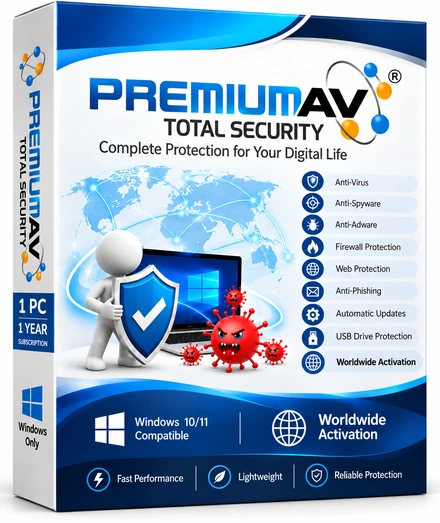
PremiumAV Total Security is a Windows security option for home users, while PremiumAV Enterprise provides per-endpoint licensing and business-oriented workflows. Compare only the functions marked as currently included on the live feature page; capabilities marked as testing should not be treated as delivered production protection.
If you want to evaluate PremiumAV, use the official download page, verify the publisher before running the installer and review the regional amount on the pricing page. Test on a suitable PC and keep a backup before changing security software.
Frequently asked questions
Is Microsoft Defender free with Windows 11?
Microsoft Defender Antivirus is built into Windows 11. The cost of Windows is separate, but there is no additional Defender Antivirus subscription required for the standard built-in protection.
Should I disable Microsoft Defender?
Do not disable protection simply because you are comparing products. A properly registered third-party antivirus may cause Windows to change the active provider automatically. Follow the product's instructions and verify the final state in Windows Security.
Does antivirus protect me from phishing and scams?
Security software may block some malicious sites or files, but it cannot reliably stop every convincing message, fake support call or authorised payment. Check the sender and destination independently, and never share passwords or one-time codes.
What matters more than the product name?
Current updates, correct configuration, safe daily use, multi-factor authentication and tested backups all matter. For businesses, device inventory and someone responsible for reviewing alerts are equally important.
Make a measured decision
Start by checking the protection already on the PC. Fix update, account and backup gaps first. Then compare additional products against a short list of real needs, current feature evidence, support and total cost. That approach is safer than choosing from a headline that calls any antivirus the best for everyone.