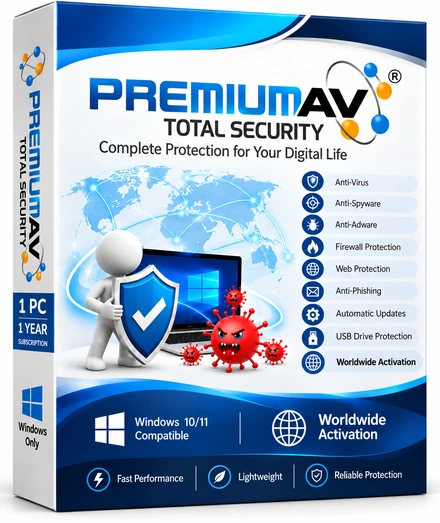
1 User · 1 Year · Instant Digital Licence
60 catalogue entries · 60 Included · 0 In final testing
Included means the specifically described functionality is available with supporting test evidence. In final testing identifies capabilities still being completed or validated; descriptions state the available scope.
Checks common user locations with bounded scan limits.
Scans accessible fixed drives; access and engine limits are reported.
Choose files, folders or drives for on-demand analysis.
Save scan schedules; the local timer runs while the desktop app is open.
Scan selected removable media with the local engine.
Scans accessible executable images of running processes; not live memory forensics.
Manage file, folder and extension exceptions and review scan results.
User-mode watch, scan and alert; verified kernel prevention remains separate.
Microsoft-Attested Kernel Minifilter blocks detected executable-file access and quarantines detected files.
Canary and extension-change detection with captured-file recovery, plus process-simulation blocking verified in testing. Not a claim that every ransomware family is stopped.
Inspect supported saved message files locally; not a mail-flow gateway.
Client-side scanning of saved messages and attachment files. Not a mail-flow gateway.
Blocks known phishing and malicious domains from the signed threat feed for every app on the PC, before a connection is made. Not covered: a browser using its own encrypted DNS, a VPN or proxy that resolves names remotely, or a typed IP address.
Applies your blocked-address and port rules through Windows Firewall to inbound and outbound TCP and UDP traffic, with trusted-address exceptions that persist across restarts. Full packet inspection is not included.
Blocks repeated failed remote sign-ins (RDP/SMB) from a source address for 15 minutes and applies your port rules. Trusted addresses are never blocked. No deep packet inspection.
Permission-based local network discovery and bounded exposure review.
Review local network interfaces and connection details.
Create a local sharing QR from the network information you provide.
Optional protection that blocks unexpected USB/RNDIS network adapters. It is off by default on Home so your normal USB-Ethernet adapters are never blocked; turn it on in Settings. An administrator can also force it on with the PREMIUMAV_ENABLE_USB_ETHERNET_GUARD=1 environment setting.
Blocks selected website categories during the schedule you set, and removes those blocks when the schedule ends. Blocking uses the Windows hosts file; it is not a separate browser and does not intercept every application or encrypted network path.
Blocks listed websites through the Windows hosts file and closes listed applications when a matching rule is active, then clears those rules without changing unrelated hosts entries.
Protects access to parental settings; not an operating-system security boundary.
Opens your bank's HTTPS page in a clean, temporary Edge InPrivate profile with extensions disabled, and flags known remote-access and screen-capture tools. Not anti-keylogging, not an OS sandbox.
Shows what Windows reports about camera and microphone access and opens the related privacy settings. Device access is not intercepted.
Locks a selected user folder into an AES-256-GCM password container and restores it into a new folder. Up to 64 MiB and 2,048 entries per container; not secure erasure or a system backup.
Choose optional diagnostics and privacy preferences; no claim of legal certification.
Privacy notice and account support for privacy requests; statutory compliance is not certified.
Encrypted local vault to add, edit, copy and back up logins under a master password. A forgotten master password cannot be recovered. No browser autofill or cloud sync.
Review detections, isolate files and restore selected items through the local vault.
Restores previously captured supported documents byte for byte from the local rollback vault; up to 10 MiB per file and 256 MiB per vault.
Backs up supported accounting files and restores their captured bytes, including supported Tally and Busy file extensions. Close accounting applications before backup.
Automatically restores previously captured supported files when canary and suspicious file-change rules trigger; recovery requires usable prior snapshots.
Review and manage selected startup entries.
Review and remove selected temporary-file categories.
Request a local working-set trim; no guaranteed performance improvement.
Review and clear selected local traces with user confirmation.
Review local security settings and repair selected user policies.
Inspect removable-drive autorun indicators and apply the bounded local vaccine.
Overwrite and remove a selected file; storage hardware can limit erasure guarantees.
Reports battery, disk and CPU health readings available from Windows on this PC.
Runs hardware health probes (CPU, memory, disk and related checks) using Windows readings.
Shows the PC's detected processor, memory, storage, graphics and OS details from Windows.
Lists recent blue screens and app crashes from Windows logs, with suggested 1-click fixes where available.
Authorized checks of TLS, headers, exposed paths and DNS; not exhaustive penetration testing.
Bounded folder, archive and repository checks with evidence and export.
Inspect signatures, imports and binary hardening indicators.
Read-only posture and bounded permission-based network assessment.
Review installed updates and exposure indicators; not complete vulnerability coverage.
Export findings and review suggested remedies; no automatic security-grade guarantee.
Scheduled signed-package checks with hash verification; requires updates enabled and connectivity.
Check the installed definition version and request an update.
Upgrading to a newer signed version keeps your paid licence, settings and quarantine unchanged, and the previous signed version can be restored with the same data.
Optional, consent-gated cloud checks: only a file's SHA-256 hash and verdict are looked up or shared with the PremiumAV Threat Cloud, never file contents, paths or user names. Off until you enable cloud lookup; if the service is unreachable the result is reported as unknown.
View engine, definitions, licence and available runtime evidence.
Review persisted events and export local logs.
Manage account information and view purchased entitlements and device seats.
English, Hindi, Bengali, Gujarati, Marathi, Nepali, Odia, Sanskrit, Spanish, Vietnamese
Configure available notification and interruption preferences.
Local diagnostics, engine preferences and exclusion controls.
Support links, customer tickets and private bounded diagnostic attachments.
Your licence. Lasting value.Every future upgrade is included for all licensed users — at no extra charge, ever.
Selected Plan: 1 User · 1 Year
Total Protection:
Your licence. Lasting value.Every future upgrade is included for all licensed users — at no extra charge, ever.
1 Endpoint · 1 Year · Digital Licence
$5 per endpoint per year
106 catalogue entries · 73 Included · 33 In final testing
Included means the specifically described functionality is available with supporting test evidence. In final testing identifies capabilities still being completed or validated; descriptions state the available scope.
Includes the Total Security catalogue below, followed by the Enterprise matrix and additional business capabilities.
Checks common user locations with bounded scan limits.
Scans accessible fixed drives; access and engine limits are reported.
Choose files, folders or drives for on-demand analysis.
Save scan schedules; the local timer runs while the desktop app is open.
Scan selected removable media with the local engine.
Scans accessible executable images of running processes; not live memory forensics.
Manage file, folder and extension exceptions and review scan results.
User-mode watch, scan and alert; verified kernel prevention remains separate.
Microsoft-Attested Kernel Minifilter blocks detected executable-file access and quarantines detected files.
Canary and extension-change detection with captured-file recovery, plus process-simulation blocking verified in testing. Not a claim that every ransomware family is stopped.
Inspect supported saved message files locally; not a mail-flow gateway.
Client-side scanning of saved messages and attachment files. Not a mail-flow gateway.
Blocks known phishing and malicious domains from the signed threat feed for every app on the PC, before a connection is made. Not covered: a browser using its own encrypted DNS, a VPN or proxy that resolves names remotely, or a typed IP address.
Applies your blocked-address and port rules through Windows Firewall to inbound and outbound TCP and UDP traffic, with trusted-address exceptions that persist across restarts. Full packet inspection is not included.
Blocks repeated failed remote sign-ins (RDP/SMB) from a source address for 15 minutes and applies your port rules. Trusted addresses are never blocked. No deep packet inspection.
Permission-based local network discovery and bounded exposure review.
Review local network interfaces and connection details.
Create a local sharing QR from the network information you provide.
Optional protection that blocks unexpected USB/RNDIS network adapters. It is off by default on Home so your normal USB-Ethernet adapters are never blocked; turn it on in Settings. An administrator can also force it on with the PREMIUMAV_ENABLE_USB_ETHERNET_GUARD=1 environment setting.
Blocks selected website categories during the schedule you set, and removes those blocks when the schedule ends. Blocking uses the Windows hosts file; it is not a separate browser and does not intercept every application or encrypted network path.
Blocks listed websites through the Windows hosts file and closes listed applications when a matching rule is active, then clears those rules without changing unrelated hosts entries.
Protects access to parental settings; not an operating-system security boundary.
Opens your bank's HTTPS page in a clean, temporary Edge InPrivate profile with extensions disabled, and flags known remote-access and screen-capture tools. Not anti-keylogging, not an OS sandbox.
Shows what Windows reports about camera and microphone access and opens the related privacy settings. Device access is not intercepted.
Locks a selected user folder into an AES-256-GCM password container and restores it into a new folder. Up to 64 MiB and 2,048 entries per container; not secure erasure or a system backup.
Choose optional diagnostics and privacy preferences; no claim of legal certification.
Privacy notice and account support for privacy requests; statutory compliance is not certified.
Encrypted local vault to add, edit, copy and back up logins under a master password. A forgotten master password cannot be recovered. No browser autofill or cloud sync.
Review detections, isolate files and restore selected items through the local vault.
Restores previously captured supported documents byte for byte from the local rollback vault; up to 10 MiB per file and 256 MiB per vault.
Backs up supported accounting files and restores their captured bytes, including supported Tally and Busy file extensions. Close accounting applications before backup.
Automatically restores previously captured supported files when canary and suspicious file-change rules trigger; recovery requires usable prior snapshots.
Review and manage selected startup entries.
Review and remove selected temporary-file categories.
Request a local working-set trim; no guaranteed performance improvement.
Review and clear selected local traces with user confirmation.
Review local security settings and repair selected user policies.
Inspect removable-drive autorun indicators and apply the bounded local vaccine.
Overwrite and remove a selected file; storage hardware can limit erasure guarantees.
Reports battery, disk and CPU health readings available from Windows on this PC.
Runs hardware health probes (CPU, memory, disk and related checks) using Windows readings.
Shows the PC's detected processor, memory, storage, graphics and OS details from Windows.
Lists recent blue screens and app crashes from Windows logs, with suggested 1-click fixes where available.
Authorized checks of TLS, headers, exposed paths and DNS; not exhaustive penetration testing.
Bounded folder, archive and repository checks with evidence and export.
Inspect signatures, imports and binary hardening indicators.
Read-only posture and bounded permission-based network assessment.
Review installed updates and exposure indicators; not complete vulnerability coverage.
Export findings and review suggested remedies; no automatic security-grade guarantee.
Scheduled signed-package checks with hash verification; requires updates enabled and connectivity.
Check the installed definition version and request an update.
Upgrading to a newer signed version keeps your paid licence, settings and quarantine unchanged, and the previous signed version can be restored with the same data.
Optional, consent-gated cloud checks: only a file's SHA-256 hash and verdict are looked up or shared with the PremiumAV Threat Cloud, never file contents, paths or user names. Off until you enable cloud lookup; if the service is unreachable the result is reported as unknown.
View engine, definitions, licence and available runtime evidence.
Review persisted events and export local logs.
Manage account information and view purchased entitlements and device seats.
English, Hindi, Bengali, Gujarati, Marathi, Nepali, Odia, Sanskrit, Spanish, Vietnamese
Configure available notification and interruption preferences.
Local diagnostics, engine preferences and exclusion controls.
Support links, customer tickets and private bounded diagnostic attachments.
Organize sites, departments and devices from one console; large-fleet rollout is in final testing.
Collects device inventory and sends authenticated HTTPS check-ins to the Enterprise console.
Organize tenant roles and group policies; endpoint policy enforcement is in final testing.
Track signed action requests and receipts; remote scan, quarantine and update execution is in final testing.
Verify cached update files by hash; endpoint distribution and installation are in final testing.
Keep signed, expiring policy copies on roaming devices; tamper-lock enforcement is in final testing.
Prepare offline licences and printable certificates; installed air-gap definition sync is in final testing.
Live desktop viewing and keyboard or mouse control are planned additions to remote support.
Review domain membership and prepare unattended installation; estate-wide deployment is in final testing.
Scan accessible files, review detections and move detected threats into quarantine.
Configure peripheral policies; USB, MTP, Bluetooth, printer and camera enforcement is in final testing.
Evaluate USB vendor, product and serial identity rules; per-device enforcement is in final testing.
Classify selected text for sensitive identity, payment and source-code content; live transfer prevention is in final testing.
Identifies and alerts on unauthorized USB-to-Ethernet adapters on enrolled endpoints (device-identity audit + console alert; verified end-to-end on an enrolled VM). Active blocking of a rogue adapter needs a signed PremiumAV network driver (in final testing).
Configure application and web working-hour policies; endpoint enforcement is in final testing.
Review remote-access security posture; automatic brute-force prevention is in final testing.
Review bounded hardware, startup and network observations; continuous fleet collection is in final testing.
Windows Server role-aware protection is in final testing before supported Server deployments are offered.
Monitor and restore agent-owned decoy files; shadow-copy and business-application recovery are in final testing.
Check recovery prerequisites for returning to a previous application version; installed rollback is in final testing.
Mobile protection and managed device enrollment are planned additions to Enterprise.
Review encryption posture; managed encryption policies and recovery-key custody are in final testing.
Isolated cloud analysis of unknown files is a planned addition to threat investigation.
Cloud verdict integration and coordinated threat intelligence are planned additions.
Run bounded, authorized local network assessments; enrolled fleet assessment is in final testing.
Review local patch inventory and vulnerabilities; continuous fleet coverage is in final testing.
Managed patch rollout, maintenance and recovery are planned additions to patch auditing.
Security connectors for cloud productivity and collaboration are planned additions.
Inspect selected saved messages locally; continuous attachment protection is in final testing.
Review stored investigation data and executive reports; continuous endpoint-to-incident reporting is in final testing.
Prepare response workflows; verified endpoint containment and recovery are in final testing.
Multi-factor console sign-in and endpoint logon are in final testing before enforcement is offered.
Tenant-scoped browser administration and workspace navigation.
Manage tenant-scoped records; not a claim of 100+ live endpoints.
Store versioned policy intent; does not claim endpoint enforcement.
Review existing tenant data and command receipts; not continuous XDR.
Issuer and seat workflows exist; complete authorized paid issuance and installed acceptance are pending.
Complete customer deployment, recovery and lifecycle acceptance are pending.
Estate wake-up, relay bandwidth savings and enforced quotas are pending.
Consent, revocation and actual two-host live-session acceptance are pending.
Bidirectional constrained transfer and live-session recording are not delivered.
Scoped process-response code exists; enrolled identity-safe action and shell acceptance are pending.
On-demand snapshots exist; continuous sensors, transport and timeline acceptance are pending.
Sample classification exists; live application and network-share exfiltration blocking is pending.
Complete live incident lifecycle, evidence retention and enrolled response remain unqualified.
PC inventory and health warnings for your managed devices.
Your licence. Lasting value.Every future upgrade is included for all licensed users — at no extra charge, ever.
1 licence = 1 device of any kind (desktop, laptop or server). 100 licences cover any 100 devices.
USD 5 per endpoint per year · Same price for every licence type
Selected Plan: 1 Endpoint · 1 Year
Total Protection: 1 devices · 1 year(s)
Your licence. Lasting value.Every future upgrade is included for all licensed users — at no extra charge, ever.
1 User · 1 Year · Instant Digital Licence
USD 2 per user per year
USD 2 per user per year
Selected Plan: 1 User · 1 Year
Total Protection:
Using a Mac? PremiumAV antivirus for Mac is available too. Download.
PremiumAV Total Security
Verified buyers only, published after moderation.
Reviewing PremiumAV Total Security. Only verified buyers can review — we match your details to your purchase.
An endpoint is any one device you want to protect: a laptop, desktop, workstation or server. One PremiumAV licence covers one device of any type. For example, 100 licences cover any 100 devices, in any mix, with no need to count users or servers separately.
No. Traditionally, business antivirus was sold as separate per-server and per-user licences, which made buying confusing and often more expensive. With PremiumAV, just buy endpoints and install them on any laptop, desktop, workstation or server. It is the simplest and best-value choice for most businesses. Per Server and Per User licences are still available at the same price for tenders that specifically ask for them.
Most business security vendors don't show their prices. You usually have to request a quote, go through several resellers, and the final price depends on negotiation and middleman margins. PremiumAV sells direct to customers at one open, fixed price: USD 5 per endpoint per year outside India. No hidden costs, no haggling, so the savings reach you.
Yes, and the first-time development is free. Tell us the feature you need and how you will use it. If it is technically possible, our team will try to build it, at no extra cost and included in your subscription.
Windows security software with on-demand scanning, quarantine, local utilities and signed updates. Advanced capability status is listed in the full catalogue.
PremiumAV Total Security starts at USD 1 for 1 PC for 1 year. Enterprise is USD 5 per endpoint per year.
Instant Digital License Key and account entitlement after successful payment.
Windows. Check the feature matrix for supported systems and qualification scope.
See our Refund Policy and Cancellation Policy for the applicable terms. Refund Policy · Cancellation Policy